
In partnership with


Hey there, {{first_name | friend}},
My trademark attorney, Nicole Swartz, sent a note this week that stopped me mid-scroll:
“You have heard of AI slop, but what about the unsettling rise of grandmAIslop?”
First I laughed. Then I winced.
Remind me, what’s AI slop?
If the term is new to you, you’re not alone. “AI slop” is the nickname for the flood of quick, low-effort content made with AI: obviously AI-generated text that actually says nothing, the pics of people with 6 fingers, and the nauseatingly AI-created restaurant menu photos, as seen in this New York Times piece (warning: the images literally made me queasy).
So what’s grandmAI slop?
It’s the family edition. Grandparents and other loving relatives upload photos of kiddos to AI apps and turn them into cartoon portraits, personalized coloring pages, and holiday scenes (including those that never happened). In Amanda Hoover’s Business Insider story, one mom described getting AI images of her toddlers posing with Santa and riding the Polar Express.
The intent is sweet. The catch is what happens to the photos. Once a child’s picture goes into an AI app, you may not know where it’s stored, whether the company uses it to train its model, or who else can see or use it.
Make your plan for the holidays
Remember the “please ask before you post the kids on Facebook” conversation? Putting kids’ names, photos, and voices into AI tools is the next conversation worth having, and the holidays are the perfect time. Everyone’s together, the cameras are out, and Grandma just got a new phone.
The goal is to protect your kids and the grandparent relationship at the same time. This week’s prompts help you decide where you stand, then say it kindly.
And just for kicks, I asked 4 AI tools to “Turn this image into Polar Express Christmas special” (the prompt from the BI article) using a pic of me from last week. One of these results is not like the other.
Join me: No Country for Mothers virtual screening

All moms and allies, join me Monday, November 9, at 7:00 PM CT for a free virtual screening of the documentary No Country for Mothers, part of the American Motherhood Tour created by Moms First. It’s just for the AI-Empowered Mom community. RSVP here.
Prompts for your family AI boundaries talk
Run these 3 prompts in order, in the same chat. You don’t need your kids’ names or photos for any of them.
Prompt 1: Find where you stand today
Act as a family technology coach. Interview me, one question at a time, about how my family uses AI today and where I stand on sharing my kids’ names, photos, and voices with AI tools. Ask about the tools we use and anything that has made me uncomfortable so far. Format the output as a short summary of my comfort level, sorted into 3 groups that I can share: green light, ask me first, and not for us.
Mom tip: Use real examples. If your child’s school made an AI photo of your kid as a grown-up like this, how would you feel about it?
Prompt 2: Think through the implications
Act as a privacy advisor for parents who explains things in plain language. Using my summary from the last prompt, walk me through the implications of each boundary: what can happen to a photo once it’s uploaded, how it could affect my kids as they get older, and where my rules might be too strict or too loose for real life. Format the output as a 1-page “AI and our family” list with 5 to 7 plain-language rules I can share.
Mom tip: Be open to changing your mind based on what comes back.
Prompt 3: Script the talk with your relatives
Act as a family communication coach who helps adults have productive family conversations. Write a warm, short script I can use to share our family AI preferences with [WHO: MY PARENTS, MY IN-LAWS, MY COPARENT] before the holidays. Open with appreciation for how much they love the kids, explain our boundaries in 2 or 3 sentences, and offer a yes alternative, like sending photos via text message or to a group chat. Include gentle responses to 3 pushbacks I might hear, like “It’s just for fun” and “Everyone does it.” Format the output as a script I can say out loud in under 2 minutes, plus a short text message version.
Mom tip: Use voice mode and ask AI to play your relative pushing back, so the real conversation feels easier.
On the podcast: The Curiosity Advantage in the AI Era with Lauren Petrowski

Lauren Petrowski has spent 20 years asking people questions on camera, from breaking news reporter to morning show anchor. Today she hosts lifestyle segments in Austin and Waco, coaches people on media, and runs Let’s Get Curious, her Instagram interview series. Her big idea: curiosity is a skill anyone can build, one question at a time.
On AI, Lauren says it can be a help and a hindrance to curiosity. She writes her interview questions herself first, then asks AI what she might be missing, because asking questions is her superpower and she wants to keep it hers.
Steal this for the holidays: Swap “What are you up to this weekend?” for “What are you most excited about this holiday season?” Lauren’s rule: the more specific the question, the better the conversation.
Where do you stand on AI-generated images of your kids?
Have a story about grandmAI slop? Hit reply and tell me. I read every one.
Until next time,

P.S. Congrats to AI-Empowered Mom community member Tara for her feature in The New York Times, along with our partner AVA!

I’m Sarah, mom of 3 girls, MBA, and AI strategist. I created AI-Empowered MomTM to share practical, responsible ways AI can help lighten the mental load of parenthood. I wrote this newsletter myself and used AI to edit and proof it. I’m so glad you’re here.
Join the fun on Instagram
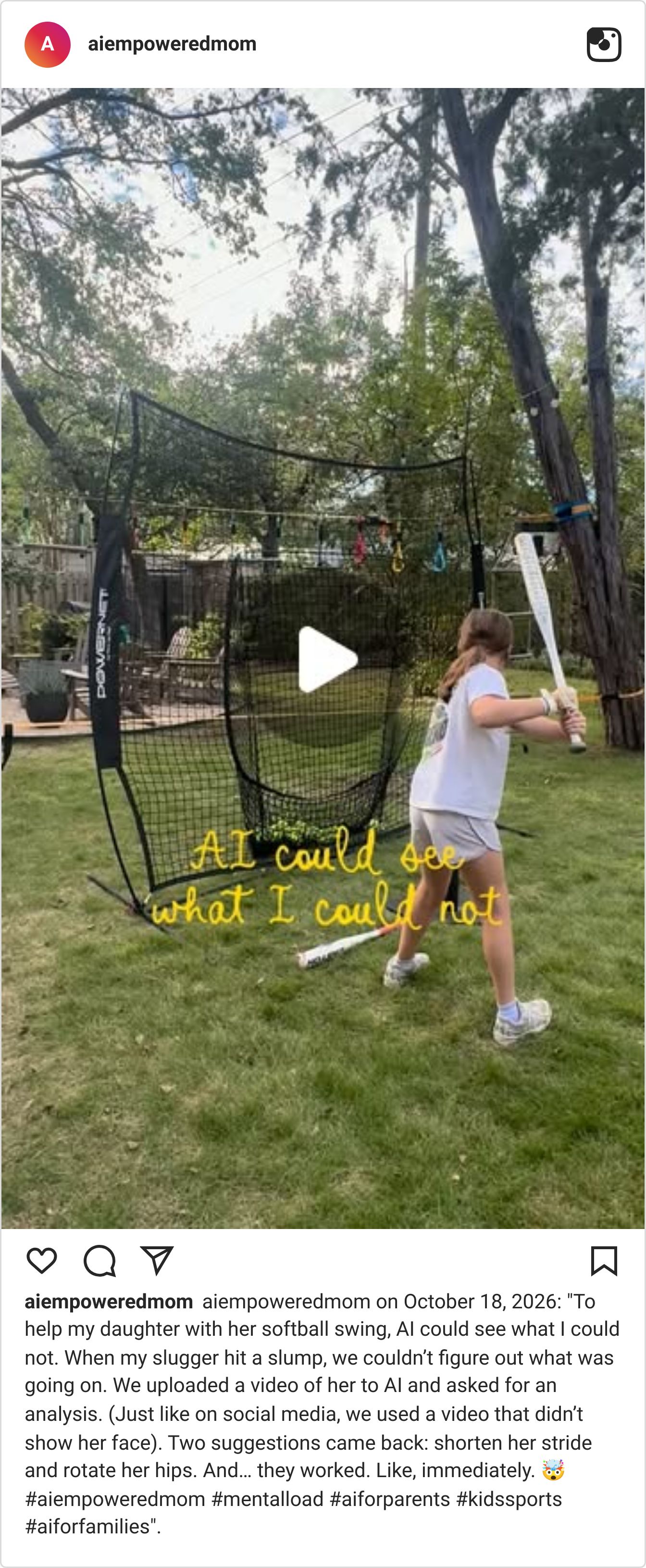
One way that I am using my kids’ videos with AI is for sports, softball swing support specifically. We used a video that didn’t show her face.
Your AI prompts are leaving out 80% of what you're thinking.

When you type a prompt, you summarize. When you speak one, you explain. Wispr Flow captures your full reasoning (constraints, edge cases, examples, tone) and turns it into clean, structured text you paste into ChatGPT, Claude, or any AI tool. The difference shows up immediately. More context in, fewer follow-ups out.
Used by teams at Microsoft, Amazon, and Notion. Try Wispr Flow free on Mac, Windows, iPhone, and Android.